The Single Pane of Glass.
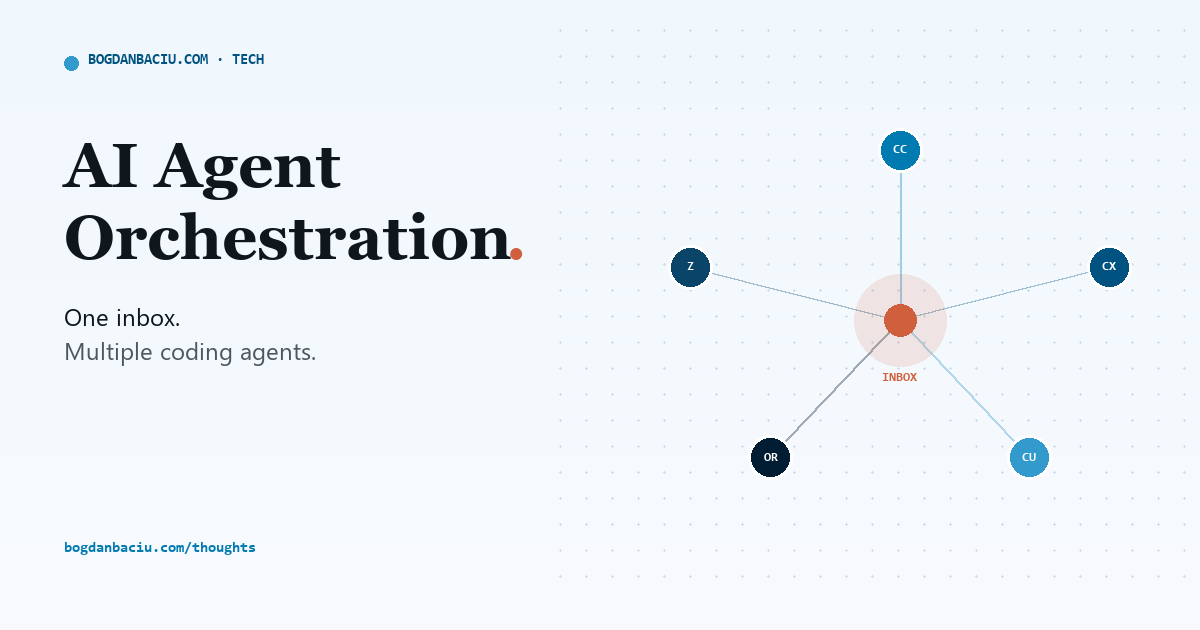
How to manage multiple AI coding agents (Claude Code, Codex, Cursor) from one inbox. An AI agent orchestration setup using Happy, tmux, Tailscale and Hetzner.
- Happy wraps the real Claude Code and Codex CLIs so every agent (plus Cursor, OpenRouter and z.ai lanes) shows up in one list, on every device.
- Sessions run inside tmux on an always-on Hetzner box, reached over Tailscale. Every laptop, tablet and phone attaches to that session; none of them owns it.
- Only one kind of alert is allowed to buzz your phone: an agent blocked on a decision, right now. Everything else queues in one inbox or waits on a board.
- The payoff isn't more speed. It's more attention: you can supervise 8-12 lanes at the cost you're currently paying to track 2 or 3.
The problem
If you run more than one AI coding agent, you already know the failure mode. Claude Code pings from the desktop. Codex pings from a different window. Cursor has its own private idea of "done." A cloud agent finished something an hour ago and never told you, because it had no way to.
Your attention becomes the router. That is the tell: the most expensive router you own is being paid to do the least interesting job in the system.
Five inboxes for five agents is not a workflow. It's a part-time job you didn't apply for.
Bouncing between apps
Four apps, four notions of urgency. Your brain does the routing, at genius rates, for a clerical job.
One inbox
Five agents, one channel. You read ages and reasons, not five apps' worth of noise.
What it is
A single pane of glass is an AI agent orchestration workflow: one screen and one interrupt channel that shows every AI coding agent you run, which are working, which are idle, which are blocked on you, so you can manage multiple AI coding agents without opening five separate apps to find out what each one is doing.
It doesn't replace your tools. It wraps them. Claude Code and Codex still run exactly as they did yesterday; only what happens to their notifications changes. That distinction matters for anyone comparing AI developer productivity tools, because it means adopting this costs you nothing in capability and only gains you a channel.
The four planes
Name the layers and the fog clears. A fleet of agents worth running has exactly four planes, and only the first one is yours to operate personally, twice a day, on purpose.
The Glass
Peripheral awareness, plus the one channel allowed to interrupt you.
Happy + one inbox you operate thisWhy it matters
This is the plane that replaces bouncing between apps. If you only fix one thing, fix this one.
The Hands
Where sessions actually run and persist, instead of dying with a laptop lid.
tmux on Hetzner always onWhy it matters
Local, VPS or cloud used to all behave differently. One always-on host ends the guessing.
The Router
A capability floor first, then whichever model clears it for less.
a gateway in front of every agent enforced, not promisedWhy it matters
One place decides which model is allowed to run, instead of every agent deciding for itself.
The Plumbing
Routine work: batched, cached, and quiet, running underneath everything else.
batch APIs + cache pins silent by defaultWhy it matters
The boring 80% of the work shouldn't need a human watching it run in real time.
The stack: five tools, one job each
The elegant part of this setup is that nothing in it is exotic. Five well-worn tools, each doing exactly one job, wired together in an afternoon.
| Tool | Role | Why it earns its place |
|---|---|---|
| Happy the star | The pane of glass | Wraps the real Claude & Codex CLIs and lists every session in one place. Free, MIT-licensed. |
| tmux the host | The session host | Named, persistent sessions per lane. Nothing dies when a device sleeps. |
| Hetzner the box | The always-on box | A cheap VPS that never sleeps when you do: where the Hands actually live. |
| Tailscale the mesh | The private mesh | Every device reaches the box over a private network. No exposed ports. |
| Termius / mosh the viewer | The viewer | A terminal that survives network handoffs: walk out of Wi-Fi, the session is still there. |
And the agents themselves, Claude, Codex, Cursor, OpenRouter, z.ai, all funnel into that same inbox instead of each claiming its own corner of your attention. Supervise your existing harnesses; don't replace them.
Claude Code vs. Codex vs. Cursor vs. Happy
These four get compared constantly, but they're not competing for the same job. Here's the honest breakdown of what each one is actually for inside a single-pane-of-glass setup.
| Tool | What it is | Best for | Role in the pane of glass |
|---|---|---|---|
| Claude Code agentic CLI | Anthropic's agentic coding CLI | Complex, long-running coding tasks | Runs inside a named tmux lane, wrapped by Happy |
| Codex agentic CLI | OpenAI's coding agent CLI | Automation and scripted tasks | Same lane pattern: another agent in the same fleet |
| Cursor editor | An AI-native code editor | In-editor, human-in-the-loop work | Reports its own completions into the same inbox |
| Happy dashboard | An open-source agent dashboard | Multi-agent supervision | The pane of glass itself: lists every session, pushes only on approvals |
How sessions actually flow
The one finding everyone who has built this agrees on: state lives server-side in tmux, and every phone, tablet and laptop is a reconnecting viewer. Once that clicks, the 30-second reconnect tax and the chat that died mid-dog-walk turn out to be the same bug, session state sitting in the wrong place.
- Stand up the boxA small Hetzner VPS, joined to your Tailscale network. This becomes the one host that never sleeps.
- Create named lanesOne persistent
tmuxsession per workstream. Nothing lives on a single laptop again. - Wrap your agents in HappyClaude and Codex run inside those tmux sessions, under Happy, so the whole fleet shows up in one list.
- Attach from anywhereTermius or Blink, over Tailscale, from Mac, iPad and iPhone. Every device is a viewer now, never an owner: the same hand-off discipline that makes switching devices mid-task painless.
- Normalize the alertsHooks and events write one line (lane, reason, age) into a single inbox. Mute everything else.
# create a persistent lane on the VPS
$ tmux new -A -s build

# wrap the real CLI so it joins the fleet list
$ happy claude

# attach from any device, over Tailscale
$ ssh build-vps
# ...or open the same host in Termius / Blink
Watch it in action
Here is the loop, simulated. Five agents post a one-line ping each; the inbox collapses them into a single digest and tells you exactly which one, if any, actually needs you.
claude → build-lane · codex → brain-ops · cursor → glm-lane · openrouter → cannon-fanout
Blocked: needs approval to modify a production config file.
age: 2 minutes
Finished: draft PR opened, ready for review whenever.
age: 41 minutes
Build failed twice, retrying automatically.
age: 58 minutes
12 tasks dispatched this cycle via parallel dispatch, 9 landed cleanly.
age: 3 hours
1 needs you now: 3 can wait for the evening pass
Push: build-lane is blocked on a production-config approval. Everything else queued in the inbox, none of it buzzed your phone.
What you need to run it
Four pieces, and the whole thing is standing by evening.
What actually broke, before this
Before any of this, closing the laptop lid was an event. Even with Claude's own remote-connect option, a session away from the machine was unstable at best, more often, it just wasn't there anymore.
It wasn't only a device problem. The same agent, running the same task, behaved wildly differently depending on where it ran:
The cloud runners were the worst of it. Environment settings were restrictive enough that most tools simply failed to authenticate. Then a disconnect. Then a cold repo had to spin up from nothing, which was slow before anything had even started. Merging back was its own fight. A lot of the workflows just didn't work, full stop.
Twenty or thirty different "flavors" of the same job (desktop app, terminal, Mac, VPS, cloud) each with its own config, its own tools, its own process. Mind-blowing complexity just to keep track of where you even were.
Now there's one place. Sessions don't die. Lose the connection, close the laptop, put down the iPad, pick up the phone, it's sitting right there, exactly where you left it, the next time you open anything up.
Without an orchestration layer, most developers can reliably track 2 to 3 agents before context-switching costs outweigh the benefit. With one inbox and persistent sessions, that rises to roughly 8 to 12, supervision no longer requires opening a separate app per agent.
Inside the inbox
One digest entry looks like this in practice. This is an illustrative example, but the format is exact: lane, reason, age, and whether it earned a push:
| Lane | Reason | Age | Push? |
|---|---|---|---|
| build-lane | Blocked: needs approval to touch a production config | 2m | yes |
| brain-ops | Finished: draft PR opened | 41m | queued |
| glm-lane | Build failed twice, retrying | 58m | queued |
| cannon-fanout | 12 dispatched, 9 landed this cycle | 3h | queued |
build-lane has been sitting on that approval for two minutes and counting. A lane that's blocked and never pinged again is worse than one that pings twice.
What it's not
- It doesn't replace Claude Code, Codex or Cursor. It wraps the CLIs you already trust.
- It doesn't act on your behalf. It surfaces what needs a decision; you still make the call.
- It isn't a vendor's dashboard product. It's five tools you already know, wired together, that you fully own.
When to skip it
If you run exactly one agent, on one device, and you're always at your desk when it needs you, skip this. The setup earns its keep once you're supervising more sessions than you can hold in your head, or once you've lost work because a laptop went to sleep at the wrong moment.
A readiness checklist
Why it works
None of this is a fad. It rests on a few well-established ideas about how attention actually behaves.
- Attention residue. Switching between tasks leaves part of your attention on the one you just left, degrading performance on the next one: a finding formalized by Sophie Leroy in “Why is it so hard to do my work?” (Organizational Behavior and Human Decision Processes, 2009). Five separate agent apps are five sources of residue, all day.
- Alert fatigue. Widely documented in clinical alarm management and on-call engineering: when everything pages you, you stop trusting any of it, and real emergencies get the same shrug as noise. A single, disciplined severity tier is the standard countermeasure.
- One source of truth beats many partial ones. Standard observability practice in operations teams: consolidating monitoring into a single pane consistently shortens the time it takes to notice and act on the thing that matters.
FAQ
What is a single pane of glass for AI coding agents?
One screen and one interrupt channel that shows every AI coding agent you run, Claude, Codex, Cursor and the rest, so you can see which are working, which are idle, and which are blocked on you, without opening five separate apps.
Why run agents on a VPS instead of a laptop?
Because session state should live on an always-on host. Inside tmux on a VPS, every device attaches and redraws instead of owning the session, so nothing dies when a laptop sleeps or a phone suspends the app.
Is Happy free to use?
Yes. Happy (slopus/happy) is open source under the MIT licence. It wraps the Claude Code and Codex CLIs and lists every session in one place, pushing only when an agent needs a decision.
Does this replace Claude Code, Codex or Cursor?
No. It supervises the tools you already run. Happy wraps the CLIs, tmux hosts the sessions, and a small normalizer routes every alert into one inbox, nothing about the underlying agents changes.
Do I need Termius specifically, or will any terminal do?
Any SSH-capable terminal works, but you want one with mosh support (Termius, or Blink on iOS) so sessions survive network changes. Paired with Tailscale, that's what makes the reconnect tax effectively zero.
Can one person manage multiple AI coding agents at once?
Yes. With an orchestration layer, persistent sessions and centralized notifications, one developer can supervise several AI coding agents, typically 8 to 12 active lanes, without monitoring each interface individually.
How many AI agents can one developer realistically run at the same time?
Without orchestration, most developers can only track 2 to 3 agents before context-switching costs outweigh the benefit. With a single-pane-of-glass setup, persistent sessions plus one alert channel, that rises to roughly 8 to 12, since supervision no longer requires opening a separate app per agent.
Claude Code vs Cursor vs Codex: which should I use?
They aren't mutually exclusive, see the comparison table above. Claude Code and Codex are strong for autonomous, long-running coding tasks; Cursor suits in-editor, human-in-the-loop work. Many developers run more than one and route them all through a single inbox rather than picking just one tool.
Is AI agent orchestration the future of software development?
As teams adopt more than one autonomous coding agent, coordinating and supervising that fleet becomes the bottleneck rather than any single agent's capability, which is why orchestration and attention-management layers, not smarter models, are the next constraint to solve.