Tailscale Explained: One Private Network, Every Device.
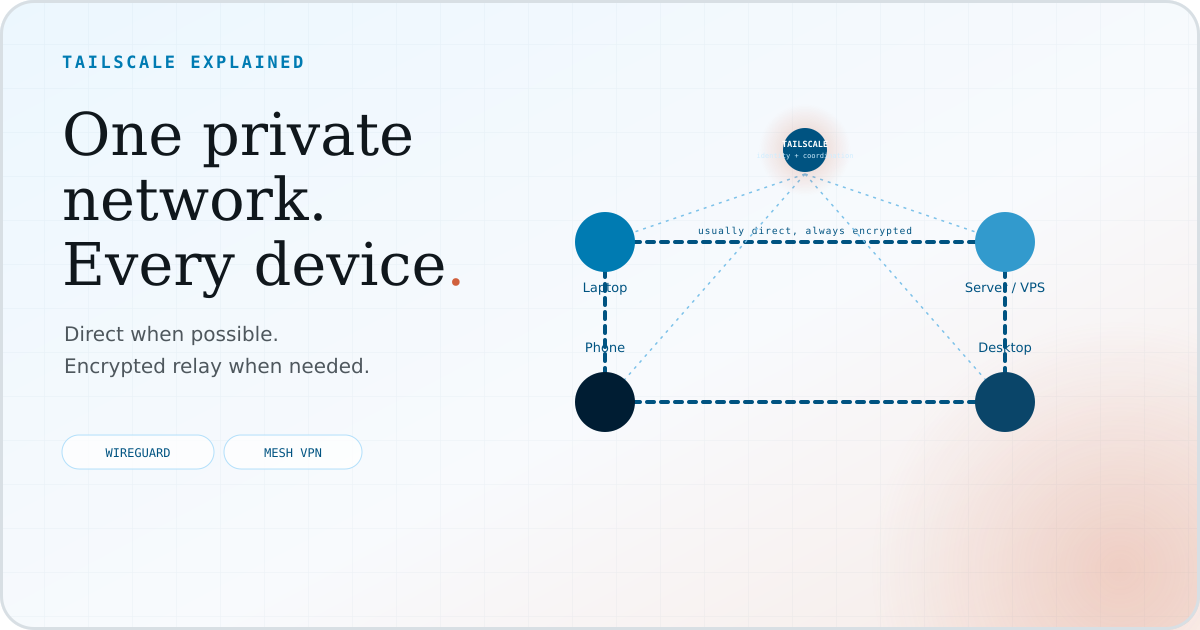
What Tailscale actually is, why people use it, and how to connect your first two devices without needing a networking textbook.
- Tailscale connects your laptop, phone, server, and cloud box into one private network. They can reach each other by name wherever they physically are.
- It's built on WireGuard, so traffic between your devices is encrypted end to end, and in most setups you won't need to open ports or hand-manage firewall rules just to make the connection.
- Setup is genuinely fast: create an account, install the app, sign in, and most people have two devices talking to each other in under ten minutes.
- It's not a public hosting service. Tailscale keeps things private by default; you opt in when you want something reachable from outside your network.
What Tailscale actually does
Say you have a laptop, a home desktop, a small cloud server, and a phone. They're not on the same Wi-Fi network, most of them don't have a public IP address, and you'd rather not open ports on your router just to check on one of them. Normally that means either giving up on remote access, or wading into port forwarding, dynamic DNS, and a pile of firewall rules you'll forget about in six months.
Tailscale skips all of that. Install it on each device, sign in with the same account, and within a couple of minutes every device can reach every other device by name. You type ssh my-server, not ssh 203.0.113.9 -p 51234, and the connection stays encrypted end to end. No public IPs. No port forwarding. No certificates to renew.
You are not exposing your devices to the internet. You are building a private network limited to approved users and devices.
Why would you use it
The appeal is less about any single feature and more about what stops being a chore:
Without Tailscale
Every remote device: its own manual setup, and its own way to break.
With Tailscale
Every remote device: one app, one sign-in, reachable by name.
- Reach your own devices from anywhere. A home desktop, a VPS, a Raspberry Pi, and a laptop that changes Wi-Fi all day are all reachable by one stable name, whether you are on the same network or across the world.
- Private SSH and dev servers, without exposing them. SSH into a home server, reach a development machine, or check on a box while travelling without ever putting a port on the public internet.
- Nothing to expose by default. Admin dashboards, internal tools, and dev servers can stay private instead of being put on the public internet and then locked down after the fact.
- Less firewall bookkeeping. Fewer one-off port-forwarding rules and reverse proxies to remember you set up.
- Cloud and local machines talk privately. A VPS and a laptop on different networks, even with different providers, can reach each other as easily as two devices on your home Wi-Fi.
How it works, at a high level
WireGuard handles the encrypted connection. Tailscale handles device identity, discovery, and permissions, which are the parts you would otherwise configure by hand.
Most of the time, the two devices end up talking directly through an encrypted connection. If a direct path is unavailable, Tailscale can fall back to a configured peer relay or a DERP relay. The traffic stays encrypted end to end either way. That is where the "it just works" reputation comes from.
Tailscale's control plane maintains device and network metadata, distributes public keys, and enforces policy, but it cannot read encrypted traffic. Private keys never leave the devices they belong to.
Getting started
If you have never used Tailscale before, this is the part that matters. Most people can get two devices talking in well under ten minutes.
- Create an accountSign up at tailscale.com using an email, Google, GitHub, or Microsoft account. The free Personal plan is enough to follow along.
- Install Tailscale on your first deviceThere are apps for macOS, Windows, Linux, iOS, Android, and many routers and NAS devices. Download the one for whatever you're using right now.
- Sign inOpen the app and sign in with the account you just created. That is the only credential this device needs. There is no separate password to manage.
- Add a second deviceInstall Tailscale on another machine, such as a home desktop, a phone, or a small cloud server. Sign in, and it joins the same tailnet automatically.
- Find your devicesOpen your admin console or run
tailscale statusfrom a terminal. You'll see every device you've added, each with its own stable name. - Make your first connectionFrom one device, try reaching the other by name. For example, use
ssh myuser@my-serverinstead of typing an IP address. If SSH is already enabled on the target machine, it should just work.
A simple real-world example
Take a laptop you carry around and a small server or VPS sitting somewhere else. It could be a home machine or a cheap cloud box. Once both have Tailscale installed and signed in:
# check that both devices are on the network
tailscale status

# connect by name; no public IP address needed
ssh myuser@my-server
That is the whole idea. The laptop connects to the server privately, usually over a direct path, and Tailscale coordinates the connection. The laptop does not need the server's public IP address or the same local network. It needs only the server's Tailscale name, and the connection stays encrypted end to end.
Serve vs. Funnel
Serve and Funnel answer two different questions. Serve keeps a service inside your tailnet. Funnel deliberately puts it on the public internet.
Serve
Who can reach it: only devices in your own tailnet.
Good for: internal dashboards, dev servers, anything meant to stay private.
Funnel
Who can reach it: anyone on the public internet.
Good for: a demo link, a webhook endpoint, something you're intentionally publishing.
The important detail is that Tailscale controls who can reach the connection. It does not decide what that caller is allowed to do next. Private is not the same as authorized. Your app still needs its own login if the service is sensitive.
Basic security
You don't need to become a networking expert to use Tailscale safely. A few habits cover most of it:
When Tailscale may not be the right tool
It's not the only option, and it isn't always the best fit.
Plain WireGuard
Maximum control, if you don't mind managing identity, discovery, and key management yourself.
Headscale
For a self-hosted coordination server that's compatible with the Tailscale ecosystem, rather than Tailscale's own.
Cloudflare Tunnel
Usually the better fit if your goal is publishing one web app, not connecting a private group of devices.
FAQ
Is Tailscale a VPN?
Loosely, yes, but it does not normally route you through one central VPN server. It coordinates encrypted WireGuard connections between approved devices and falls back to an encrypted relay when a direct path is unavailable.
Is Tailscale free?
The free Personal plan includes up to six users, unlimited user devices, and up to 50 tagged resources. Paid plans add unlimited users and more administrative, security, and compliance controls. Check Tailscale's pricing page for current details.
Does Tailscale work on phones?
Yes. There are apps for iOS, Android, macOS, Windows, Linux, and many routers and NAS devices, so a phone can join the same private network as a laptop or server.
Can I use Tailscale for SSH?
Yes. Once two devices are on the same tailnet, you can SSH between them by Tailscale name instead of a public IP address, without opening any ports, provided the target accepts SSH connections.
Is my traffic encrypted?
Yes. Tailscale builds on WireGuard, so traffic between your devices stays encrypted end to end, including when a peer or DERP relay is the fallback. The coordination service handles identity and network maps, but it cannot read the contents of your connections.
What is a tailnet?
A tailnet is the private network of approved users and devices managed through Tailscale. Access policies decide which connections are allowed.
What is the difference between Serve and Funnel?
Serve shares something with just your tailnet. Funnel shares it with the public internet. See the Serve vs. Funnel section above. Both still rely on the application itself to check who is allowed to do what.
Do I need to open ports on my router?
No. Tailscale handles NAT traversal for you, so in the vast majority of setups you don't need to forward or open any ports.